The seating plan is built from the RSVPs you receive. Arrange the tables in the room, seat guests with one gesture and see how many seats are left.
- From RSVPs
- Auto-seating
- Drag & drop
- Round & rectangular tables
How do you make a wedding seating plan?
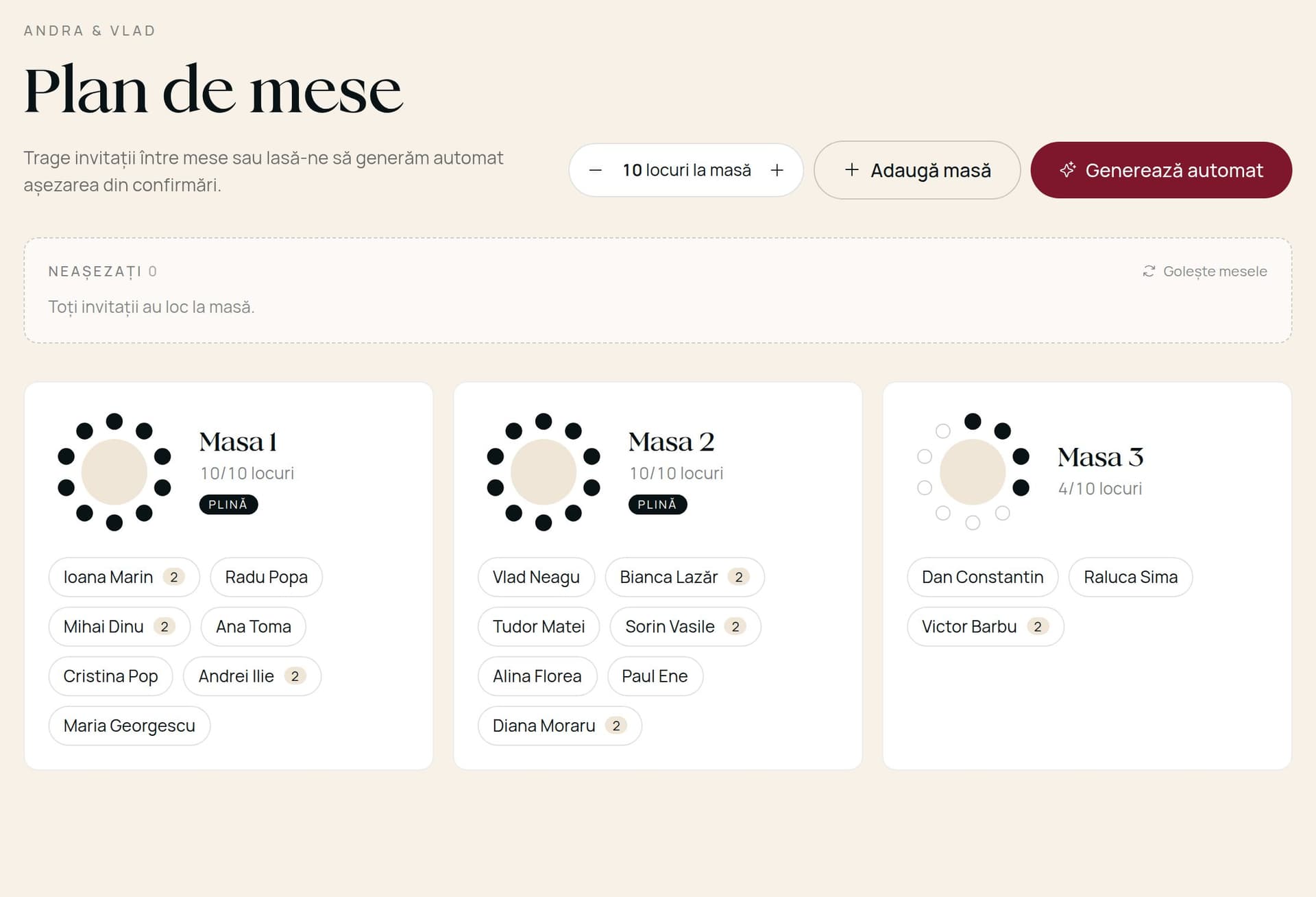
A seating plan shows which table each guest sits at. With Te Așteptăm you build it from the guests who confirmed: add tables, choose how many seats each has, then seat guests automatically or by dragging them onto tables.
- It starts from the RSVPs, so nobody who isn't coming gets a seat.
- Plus-ones and children sit next to the guest they came with.
- You always see how many people are still unseated.
- 01
Collect RSVPs
Guests reply from the invitation with party size and children.
- 02
Add tables
Round or rectangular, with the seats you want, including the couple's table. Drag them into place.
- 03
Seat your guests
Tap “Seat automatically” or drag each person onto a table or straight onto a seat.
Automatic seating
One click seats every confirmed guest at the available tables, keeping groups together.
Drag & drop
Move anyone to another table or seat, on a computer or a phone.
Table shapes
Round and rectangular tables with adjustable seats and a name for each.
Groups stay together
Partners and children who came with a guest are seated next to them.
Free seats at a glance
Each table shows how many seats are taken, so full tables stand out.
Updates itself
When someone confirms or cancels, the unseated list changes automatically.
| Te Așteptăm | Paper / Excel | |
|---|---|---|
| Guest source | Straight from RSVPs | Copied by hand |
| Last-minute changes | Move with one gesture | Redo the sheet |
| Plus-ones & children | Seated together automatically | Checked by hand |
| Free seats | Shown on every table | Counted by hand |
Can't find your answer? Write to us and we'll reply within a few hours.
No. The seating plan uses the RSVPs collected through the invitation.

For you two
Te Așteptăm

Create your first invitation in minutes. You only pay when you're ready to publish.
- No card needed to sign up
- Edit any time, at no cost
- firstname-and-firstname.teasteptam.ro
- 80 USD · One-time payment